Search for an Open House
To search for a public open house in Flexmls, navigate to the Flexmls menu. Under Daily Functions, select Broker Open House/Public Open Houses.
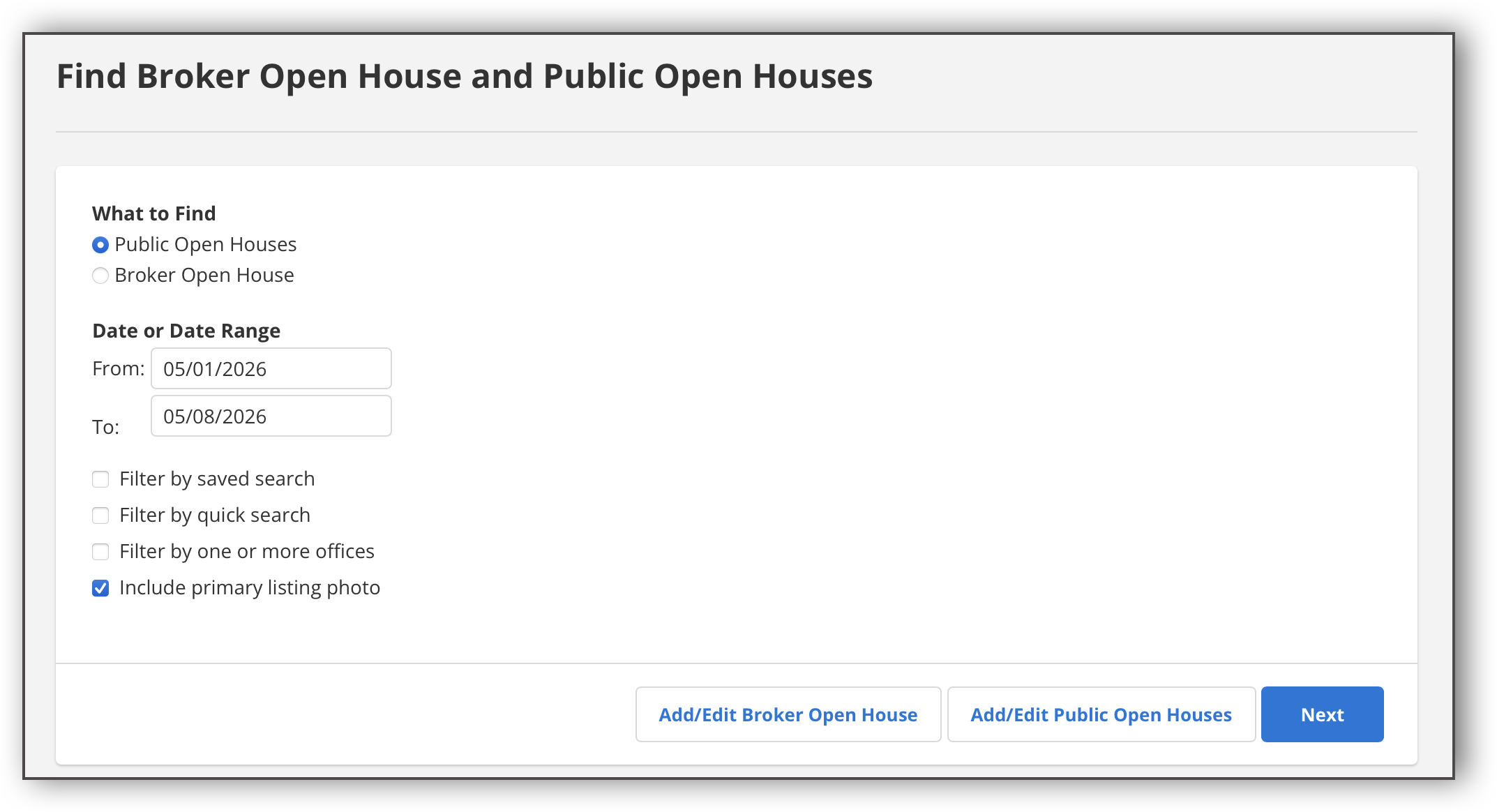
In the search page, select Public Open Houses, and select the date range you want. Click Next.
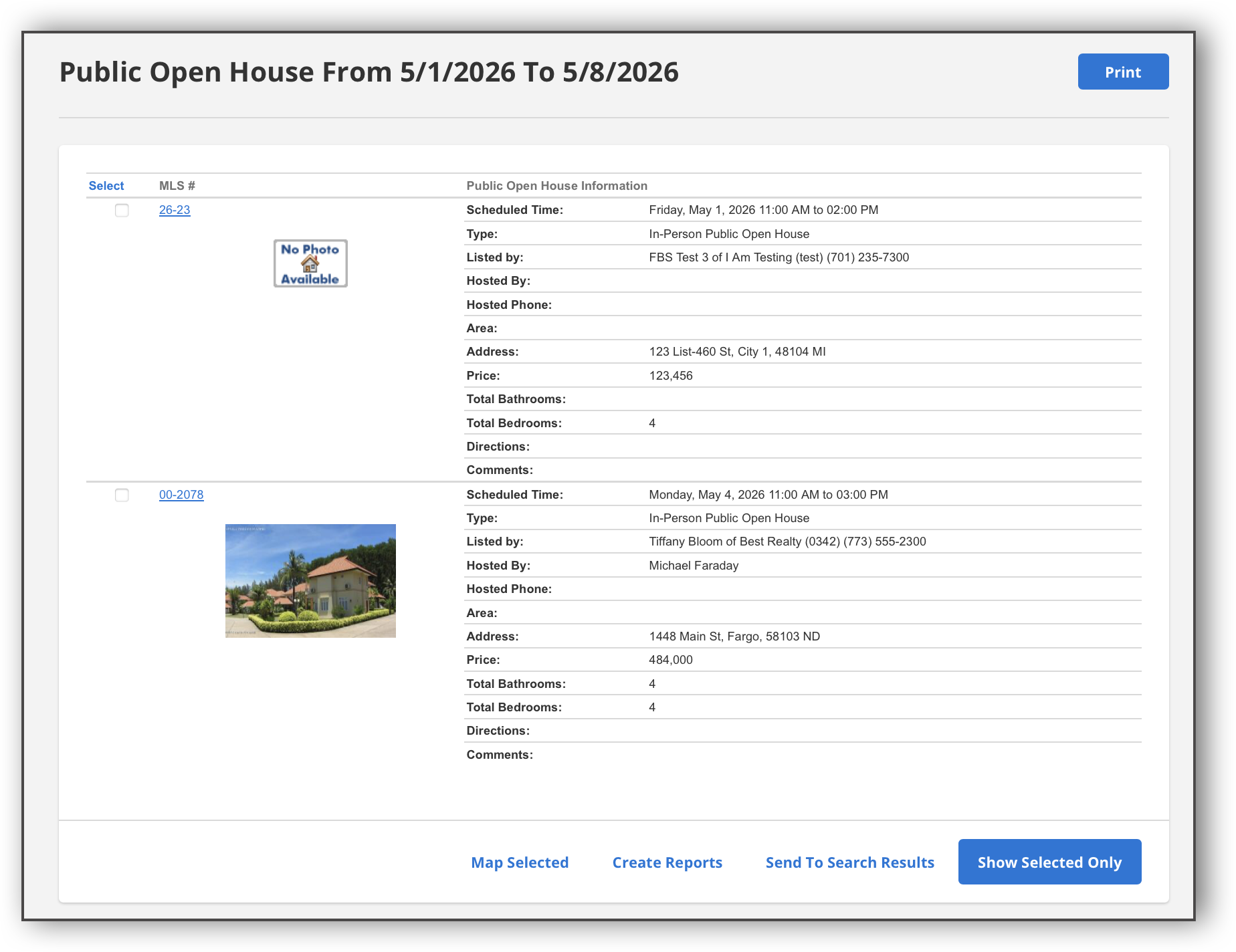
In the search results, you can use the checkboxes to select the open houses you want. From there, you can print the open house information, view the listings for those open houses in the search results, locate the listings on the map, or create listing reports.
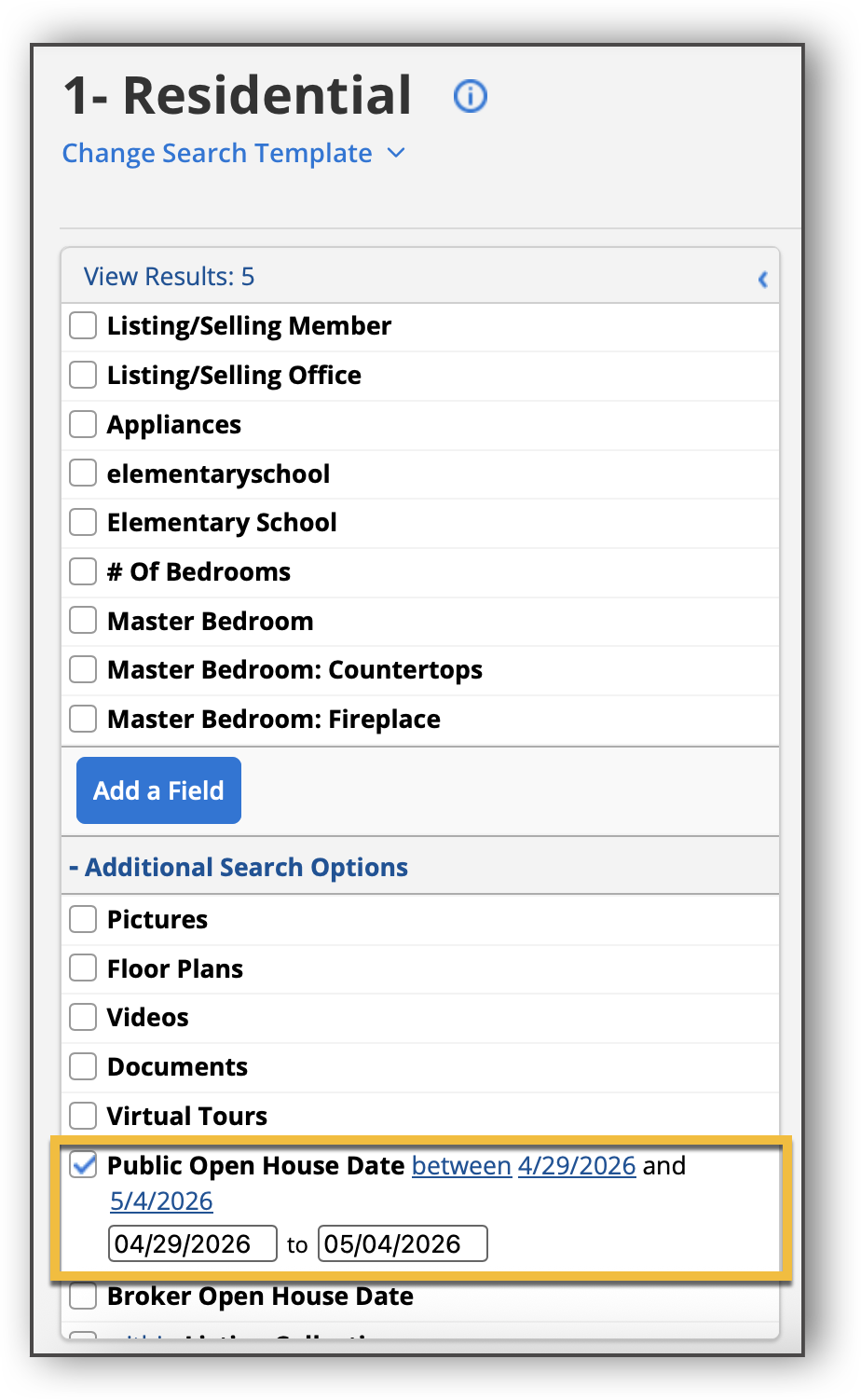
You can also search for an open house from Quick Search. In Quick Search, click Additional Search Options to expand the filters menu and display additional search criteria. Click Public Open House Date, and specify how many days in the future you want to find open houses (for example, enter "5" if you want to find open houses scheduled within the next 5 days).
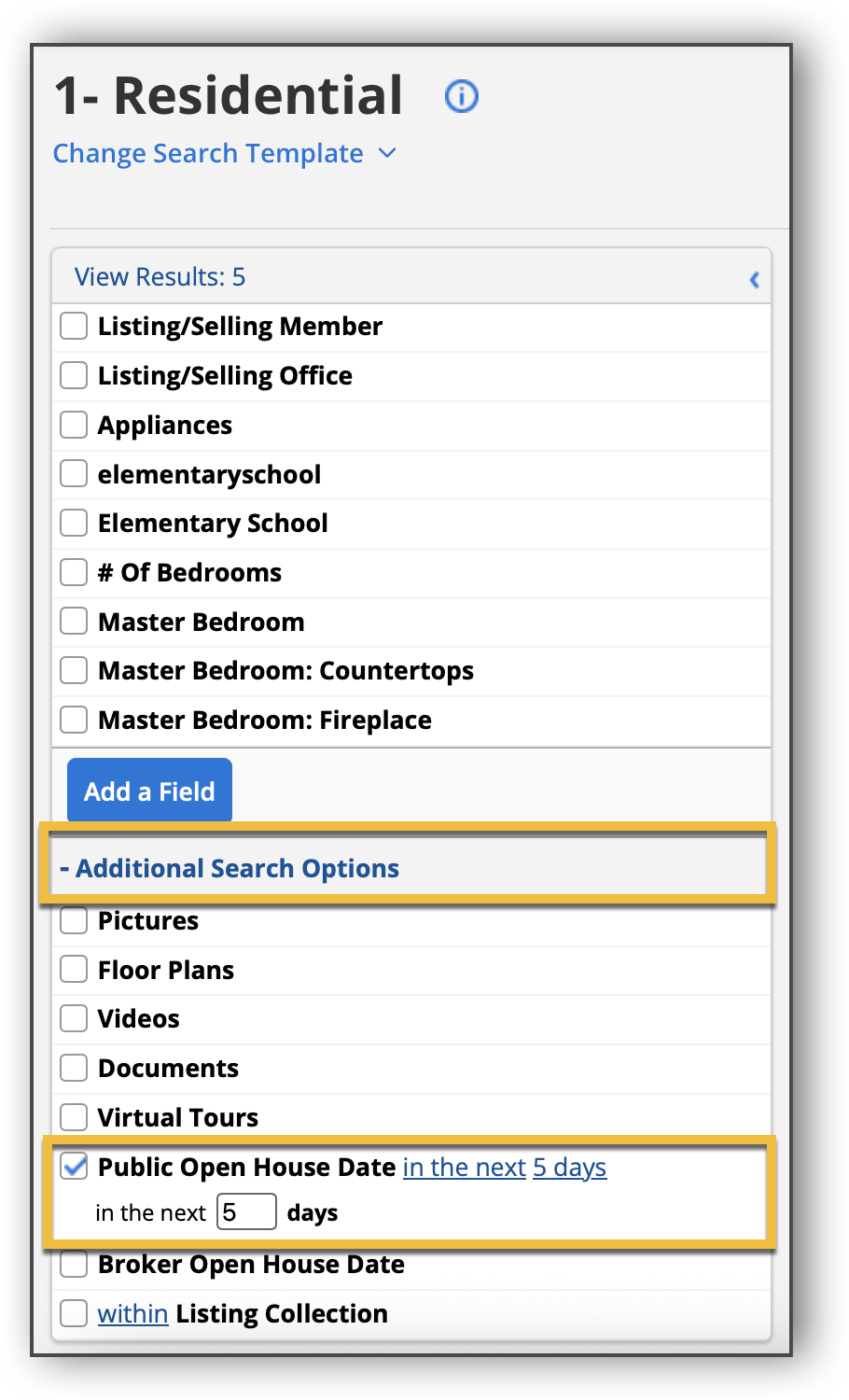
After you enter a number of days, you can click the "in the next" link to change the search field to a date range, and specify the date range you would like to search.
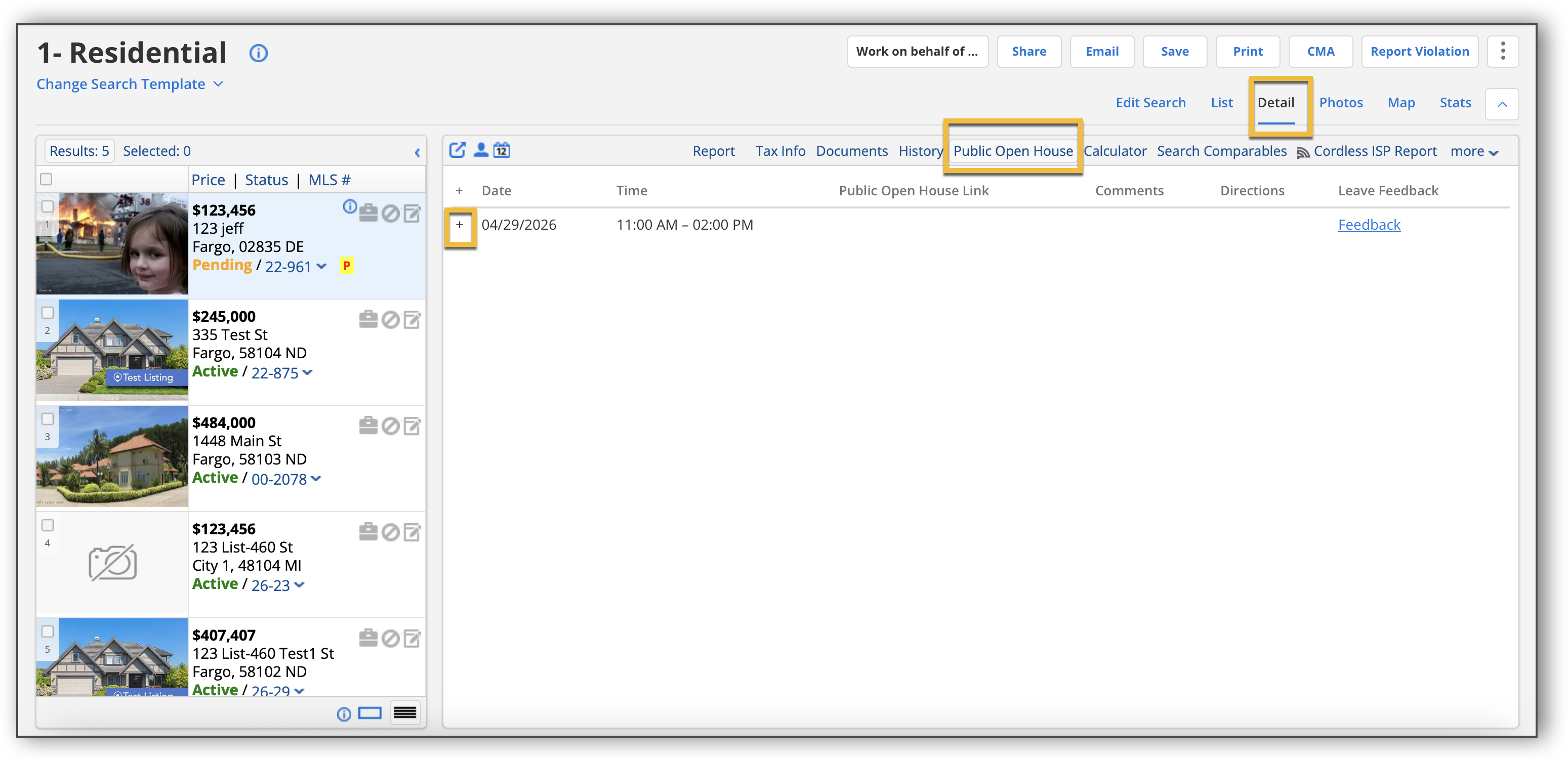
Click Detail, and then click the listing to see open house information. In the listing, click the Public Open House tab to view all the scheduled open houses specified in the time frame you searched. Click the plus sign next to the open house date to view open house details.